










The fees are the small loss. The bigger one is the months spent watching dashboards while the free profile that decides your place on the map sits half finished.
Most lists of local SEO tools are ranked by feature count. That is the wrong order for a small business. The right question is which job you need done, and whether a free tool already does it. Free tiers and plans change often, so check each vendor's own site before you buy.
What are the best local SEO tools for small businesses?
Twelve tools, free and paid. The three free Google tools come first, then the paid tools in roughly the order a growing business needs them.
Twelve local SEO tools by the job each one does
| Tool | Cost | The job | Worth it for |
|---|---|---|---|
| Google Business Profile | Free | Your listing in the map results | Every local business |
| Google Search Console | Free | What your site ranks for, and where | Every website |
| Google Analytics | Free | What visitors do after they arrive | Every website |
| BrightLocal | Paid | Local rank tracker, listing audits, review monitoring | Small agencies, several locations |
| Local Falcon | Paid | Google Maps rank tracker on a geo grid | Service area businesses |
| Whitespark | Paid, some free tools | Citation management: finding and fixing listings | Cleanups, moves, name changes |
| Moz Local | Paid | Sends your details to directories and keeps them in sync | While listings are being corrected |
| Yext | Paid | Listings across a large network of sites | Brands with many locations |
| Semrush | Paid | Search volume, competitor keywords, site audits | Planning content |
| Ahrefs | Paid, free tools for your own sites | Backlinks, keywords, site health | Link and site checks |
| Ubersuggest | Paid, free plan | Keyword ideas with volume estimates | Light research |
| Screaming Frog | Free up to a crawl limit | A local SEO audit tool for the site itself: broken links, redirects, missing tags | Before and after a site move |
Free tiers and plans change, so confirm on the vendor's site.
Which free tools should I finish setting up first?
All three, in this order. They do most of the work for a business with one location. Finish them before you spend anything.
- Google Business Profile. Your profile is not a tool you buy, and it is the largest lever in local search. Complete it: categories, each service listed on its own, service areas, hours including holidays, new photos added often, and replies to reviews. Finish this before you shop for software.
- Google Search Console. The only source of truth for what a site ranks for, and it is free. It shows the searches that found you, your average position for each, and the pages they landed on. If a report cannot be traced back to it, the report cannot be checked.
- Google Analytics and the profile's performance report. What people did after they arrived on the site, and what they did on the profile itself: calls, direction requests and website taps. For one location, this is most of the measurement that matters.
No paid tool is worth buying until the free three are finished.
A business whose profile is incomplete is held back by the profile, not by its tools.
Which local rank tracker should a small business use, and when?
When you serve more than one place. Search Console reports one average position, and local results change with where the searcher is standing. A paid tracker shows the difference.
- BrightLocal. BrightLocal tracks where you rank by keyword and by location, audits your listings across directories and monitors reviews, all from one dashboard. It suits a small agency or a business with several locations that wants one tool instead of four. A single storefront rarely needs it.
- Local Falcon. Local Falcon shows where a Google Business Profile ranks in the map results across a grid of points around the business. For a service area business that covers many suburbs, the grid shows which ones you are winning. For a single storefront, it is mostly a curiosity.
If you are looking for a BrightLocal alternative, name the job first. For map rank across a service area, Local Falcon does that one thing. For citations, Whitespark does. For keyword research with some local features, Semrush does. BrightLocal's case is having all of it in one place.

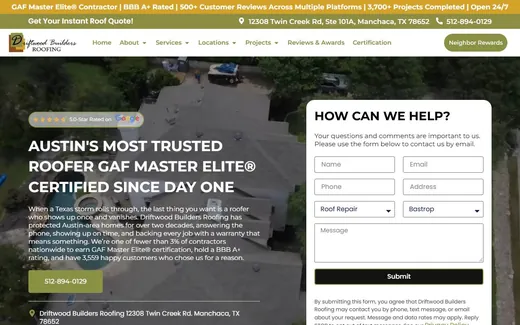
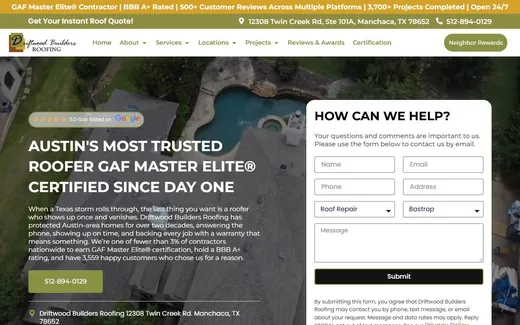
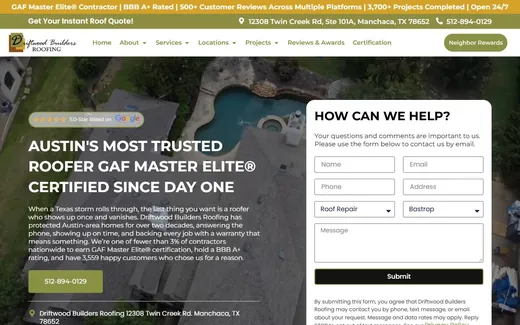
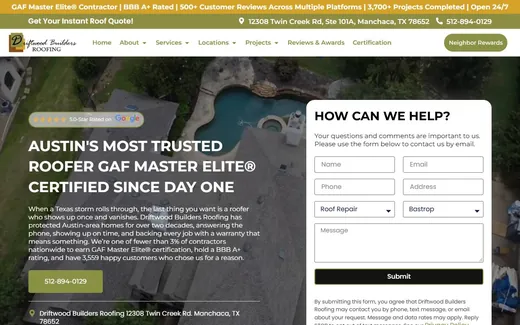
Driftwood Builders Roofing, a Kihan Marketing client, serves a ring of cities around Austin. A business like that can rank well in one suburb and be invisible in the next. One average position hides that. A grid tracker shows it, suburb by suburb.
Do I need citation management or a listing tool?
Only while your listings are wrong, or if you have many locations. A citation is a mention of your business name, address and phone on another site. Once the listings are correct and stable, a business with one location can often stop paying.
- Whitespark. Whitespark is best known for local citations: finding where your business is listed, where the details are wrong, and where competitors are listed and you are not. It earns its cost during a cleanup, a move or a name change.
- Moz Local. Moz Local sends your name, address, phone and hours to directories and data providers, and keeps them in sync. It is worth paying for while the listings are being corrected.
- Yext. Yext manages listings across a large network of sites from one place, and it is built for brands with many locations. For one or two locations it is more tool than the job needs. Before you sign up, ask what happens to the listings it manages if you stop paying.

The name, address, phone and hours on your own website are the reference. Every listing elsewhere should say the same thing. The Cryo Sanctuary site states them at the top of the page, in text, so there is one version to copy.
Which keyword and site tools are worth knowing?
- Semrush. Semrush estimates search volume and difficulty, shows the keywords competitors rank for and audits a site for technical problems. It also has a local product for listings and map rank tracking.
- Ahrefs. Ahrefs is strongest on links: who links to you and to your competitors, and which pages earn those links. It also does keyword research and site audits. Ahrefs Free, formerly Ahrefs Webmaster Tools, gives a free version of the site audit and the link data for sites you can prove you own.
- Ubersuggest. Ubersuggest gives keyword ideas with volume and difficulty estimates, plus a simple site audit, and it has a free plan for light research.
- Screaming Frog. Screaming Frog crawls a site the way a search engine does and lists broken links, redirect chains, duplicate titles and missing tags. The free version crawls up to 500 URLs, which covers many small business sites. Run it before and after a site move, not every month on a twelve page site.
Which tool should I pick for my situation?
- One location, small site. The three free tools, finished properly. Add nothing until they are.
- One location, crowded category. Add one keyword research tool and one rank tracker. That is enough to plan, and to know whether the plan worked.
- Service area business. A grid based rank tracker earns its cost. Your visibility changes from suburb to suburb, and nothing else shows you that.
- Several locations. Listing management becomes real work and software starts paying for itself. So does reporting that can separate locations.
- Agency or in-house team. A full suite, a crawler, and whatever it builds itself. Kihan Marketing wrote its own indexing, schema and internal linking tools, because past about two hundred pages that work cannot be done by hand.
What will the tools not do?
- Write anything worth reading. Every tool will tell you a page is thin. None will make it good.
- Earn a link. Outreach tools find prospects. The reason someone links to you is still something you have to create.
- Ask for reviews. Review tools send requests and alerts, but the value is in the habit of asking. A business that asks every customer beats one with a subscription and no habit.
- Answer the phone. No tool on this list picks up when a customer calls.
- Fix a thin profile. No tool makes up for wrong categories or an empty service list.
What should the first ninety days look like?
- Finish the Google Business Profile. Categories, services, areas, hours, photos and reviews.
- Verify Search Console and Analytics. Let them collect two or three weeks of data before drawing conclusions.
- Audit the listings once. Fix the inconsistencies, then cancel the subscription unless you have several locations.
- Pick the keywords from real data. Check the estimates against the searches you already appear for in Search Console.
- Track a small set. Twenty to fifty phrases, by location if you are a service area business.
- Only then consider anything else. By this point you will know which job is still not being done.
If you have finished all of the above and your business is still not visible, the cause is usually one of three things, and no software fixes any of them.
- Not enough distinct content. Too few pages that say something the competitors' pages do not.
- Not enough sites linking to you. Too few other sites mention or link to yours.
- A service area wider than the business can support. Claiming more towns than the profile and the pages can rank in.
Finding out which of the three is holding you back means reading your Search Console, not buying another tool. That is the first step of our SEO work.
Questions about local SEO tools
What are the best local SEO tools for small businesses?
For most small businesses, the best local SEO tools are the free ones: Google Business Profile, Google Search Console and Google Analytics. Add a paid tool only when you have a job they cannot do. BrightLocal suits several locations, Local Falcon shows your map rank across suburbs, and Whitespark helps with citations. The right choice depends on your job, not on a ranking.
What is the best free local SEO tool?
The best free local SEO tool is Google Business Profile, because it is the listing the map results rank. Pair it with Google Search Console, which shows what your website ranks for and where, and with Google Analytics or the profile's performance report for calls and visits. Those three cover most of what a business with one location needs.
What tools do local SEO agencies use?
Local SEO agencies often use a rank tracker with a map grid, such as BrightLocal or Local Falcon, a listings tool such as Whitespark, a keyword and competitor suite such as Semrush or Ahrefs, and a crawler such as Screaming Frog. Many also build their own. Kihan Marketing wrote its own indexing, schema and internal linking tools for large sites.
Do I need a paid local SEO tool?
You need a paid local SEO tool only once the free tools are finished and something specific needs measuring: rank across a service area, listings across many locations, or competitors' keywords. A single storefront with a complete profile and a steady review habit often needs nothing paid.
What is a good BrightLocal alternative?
It depends on which job you use BrightLocal for. Local Falcon tracks map rank on a grid around your business. Whitespark finds and fixes citations. Semrush covers keyword research and has a local product. BrightLocal combines rank tracking, listing audits and review monitoring in one dashboard.
What is the best local rank tracker?
For a service area business, a grid based Google Maps rank tracker such as Local Falcon, because rank changes from suburb to suburb. For several locations, a tracker that reports by location, such as BrightLocal. For one storefront, Search Console is usually enough.