














AI crawler checker: can GPTBot, ClaudeBot and other AI crawlers read your site?
The AI crawler checker from Kihan Marketing reads your site's robots.txt and tells you which AI crawlers it lets in and which it blocks. It is free, it writes nothing to disk or to a log, and it is for any business owner who wants to know whether robots.txt lets the crawlers that feed ChatGPT, Google AI Overviews, Perplexity, Gemini, Claude and Microsoft Copilot read their pages.
Which AI crawlers does the checker look for?
Eleven names, from six companies. Five are search crawlers that build the indexes AI answers are drawn from. Two fetch a page when a person asks an assistant for it. Two crawl for model training. Two are control tokens, not crawlers: Applebot-Extended only decides training use, while Google-Extended decides training use and whether the Gemini app may ground its answers on your pages.
| Crawler | Kind | What it does | What blocking it changes |
|---|---|---|---|
| GPTBotOpenAI | Training | Crawls pages that may be used to train OpenAI's models. | Tells OpenAI not to use your pages for training. It does not remove you from ChatGPT search, which uses OAI-SearchBot. OpenAI's crawler page |
| OAI-SearchBotOpenAI | Search | Finds pages to show in ChatGPT's search answers. | OpenAI says sites opted out of OAI-SearchBot will not be shown in ChatGPT search answers, though they can still appear as navigational links. OpenAI's crawler page |
| ChatGPT-UserOpenAI | User request | Fetches a page when a person using ChatGPT asks for it. It does not crawl the web by itself. | OpenAI says robots.txt rules may not apply to it, because a person started the request. OpenAI's crawler page |
| GooglebotGoogle | Search | Google's main crawler. It builds the Google Search index. AI Overviews and AI Mode are part of Google Search and link to pages from that index. | Closes your pages to crawling for Google Search, AI Overviews and AI Mode included. Google says robots.txt rules for Googlebot are the control for how a site is crawled for Search, and that a page must be indexed and able to show a snippet to be a supporting link in AI Overviews or AI Mode. Google's guide to AI features |
| Google-ExtendedGoogle | Control token | A robots.txt token, not a separate crawler. Google says it has no user agent string of its own. It controls whether pages Google has crawled may be used to train future Gemini models and to ground answers in the Gemini app. | Tells Google not to use your pages to train Gemini models or for grounding, which Google describes as "providing content from the Google Search index to the model at prompt time", in the Gemini app and in Grounding with Google Search on Vertex AI. So it can keep your pages out of what Gemini draws on when it answers. Google says it "does not impact a site's inclusion in Google Search nor is it used as a ranking signal in Google Search." Google's crawler list |
| PerplexityBotPerplexity | Search | Finds pages to surface and link in Perplexity's search results. Perplexity says it is not used to train AI foundation models. | Perplexity asks sites to allow it so that they can appear in its results. Perplexity's crawler page |
| ClaudeBotAnthropic | Training | Collects web content that could be used to train Anthropic's models. | Signals that your future material should be left out of Anthropic's training data. Anthropic's crawler page |
| Claude-SearchBotAnthropic | Search | Crawls the web to improve the search results Claude gives its users. | Stops your content being indexed for Claude's search. Anthropic says this may reduce your visibility in its search results. Anthropic's crawler page |
| Claude-UserAnthropic | User request | Fetches a page when a person asks Claude a question that sends it to a website. Anthropic calls these user-initiated requests. | Anthropic says disabling it stops Claude retrieving your content in response to a user query, which may reduce your site's visibility for user-directed web search. Anthropic says its bots honor robots.txt. Anthropic's crawler page |
| BingbotMicrosoft | Search | Microsoft's main crawler. It builds the Bing index, which Microsoft Copilot searches when it answers. | Keeps your pages out of Bing, and so out of what Copilot can find there. Bing's crawler list |
| Applebot-ExtendedApple | Control token | A control token. Apple says it does not crawl webpages. It decides whether pages Applebot has crawled may be used to train Apple's generative models. | Apple says pages that disallow it can still be included in search results. Apple's Applebot page |
The descriptions of the OpenAI, Google, Perplexity, Anthropic and Apple names are taken from each company's own crawler documentation. The links go to those pages.
Which AI crawlers should my website allow?
It depends on what you want from AI search. Kihan Marketing's advice for a local business that wants to be named in AI answers is to sort the eleven names into four groups. The file shown here is one way to write that choice: it lets the search crawlers in and keeps the training crawlers out. Many owners allow both.
- Allow the search crawlers.OAI-SearchBot, Googlebot, PerplexityBot, Claude-SearchBot and Bingbot build the indexes that AI search answers are drawn from. Blocking one removes or reduces your pages' chance of appearing in that product's answers.
- Allow the user request fetchers.ChatGPT-User and Claude-User fetch a page when a person asks ChatGPT or Claude about it. If someone asks an assistant to read your pricing or service page, you want it to load.
- Decide on the training names.GPTBot, ClaudeBot and Applebot-Extended only decide whether your pages may be used to train models. That is a policy choice for the owner. Blocking them does not remove you from search answers.
- Leave Google-Extended open if you want Gemini to name you.Besides training, it controls whether the Gemini app may use your pages to ground its answers. Google says it does not affect a site's inclusion in Google Search, which AI Overviews are part of.
robots.txt
# Search crawlers: let them in
User-agent: OAI-SearchBot
User-agent: Claude-SearchBot
User-agent: PerplexityBot
Allow: /

# Training crawlers: the owner's choice
User-agent: GPTBot
User-agent: ClaudeBot
Disallow: /

# Every other crawler, Googlebot and Bingbot included
User-agent: *
Allow: /
What is GPTBot, and should you allow it?
GPTBot is OpenAI's training crawler. It collects pages that may be used to train OpenAI's models, and it is not the crawler behind ChatGPT's search answers. Allowing it is a policy choice: blocking GPTBot does not take you out of ChatGPT search, and allowing it does not put you in.
ClaudeBot, OAI-SearchBot and PerplexityBot each do a different job, which is why an AI crawler access checker has to read the rule for each name and not one rule for all of them.
- OAI-SearchBot.Finds pages to show in ChatGPT's search answers. OpenAI says sites opted out of it will not be shown in those answers. OpenAI's crawler page
- ClaudeBot.Collects web content that could be used to train Anthropic's models. Claude's search uses a separate crawler, Claude-SearchBot. Anthropic's crawler page
- PerplexityBot.Finds pages to surface and link in Perplexity's search results. Perplexity says it is not used to train AI foundation models. Perplexity's crawler page
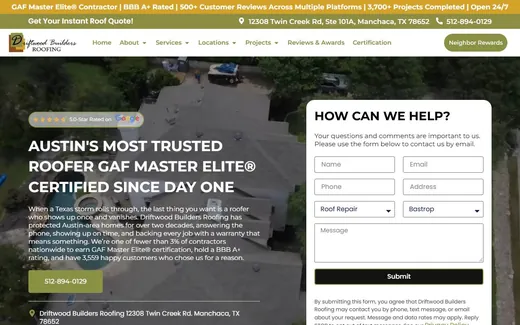
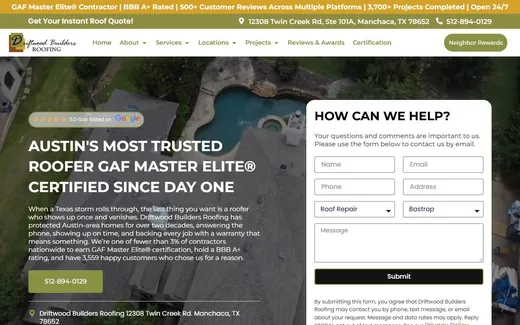
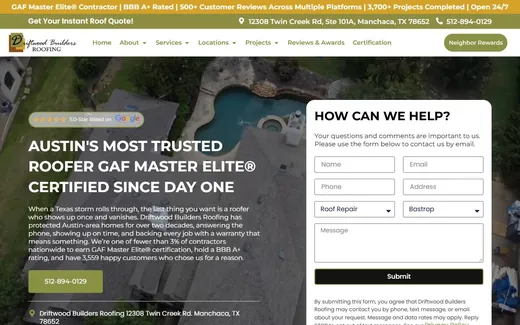
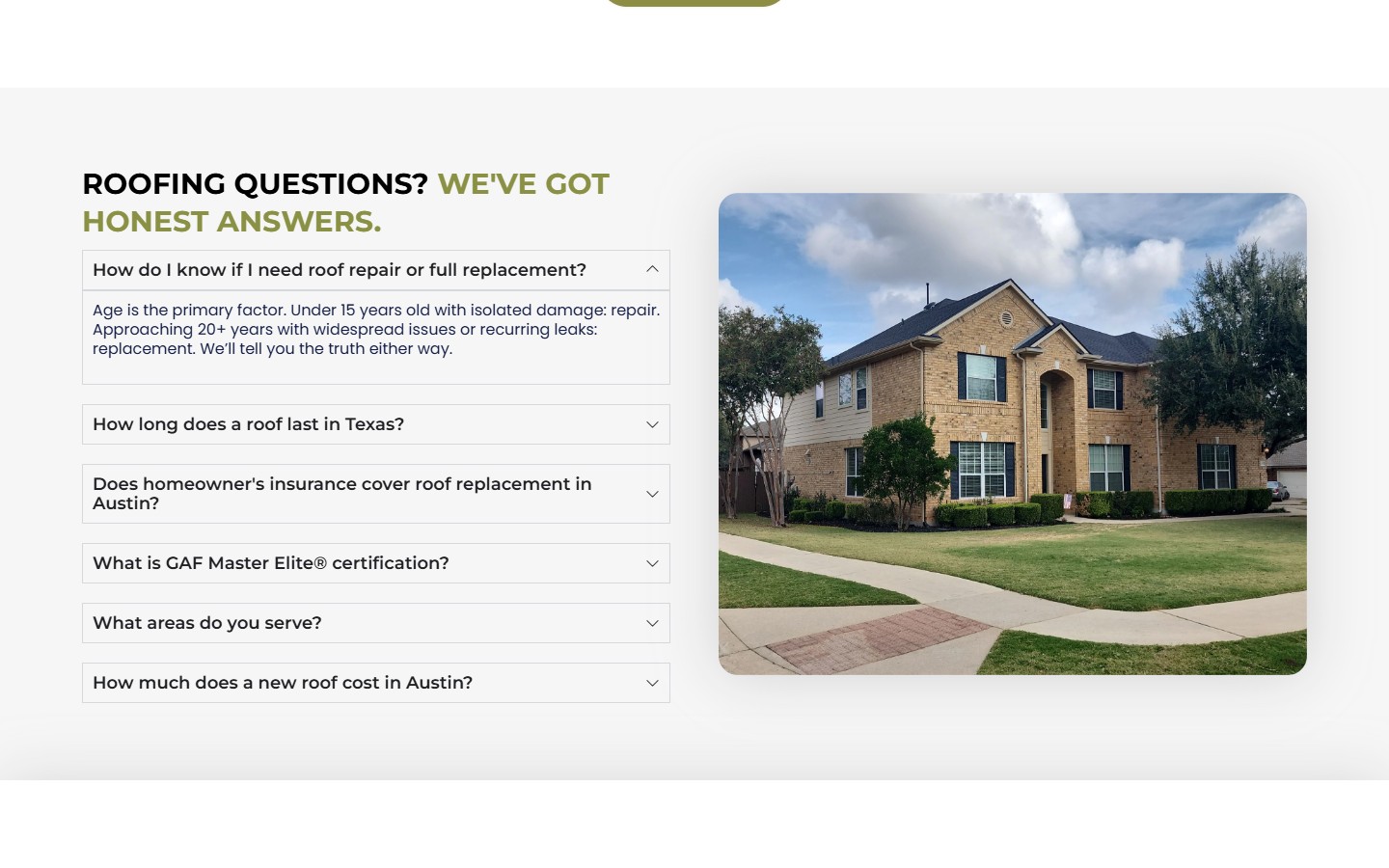
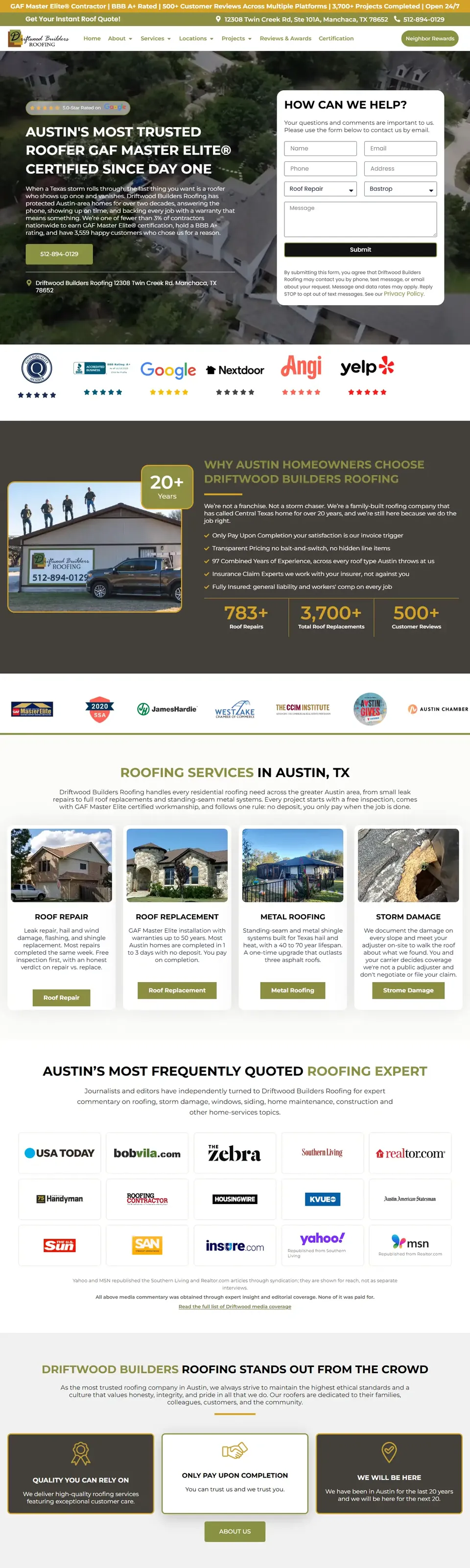
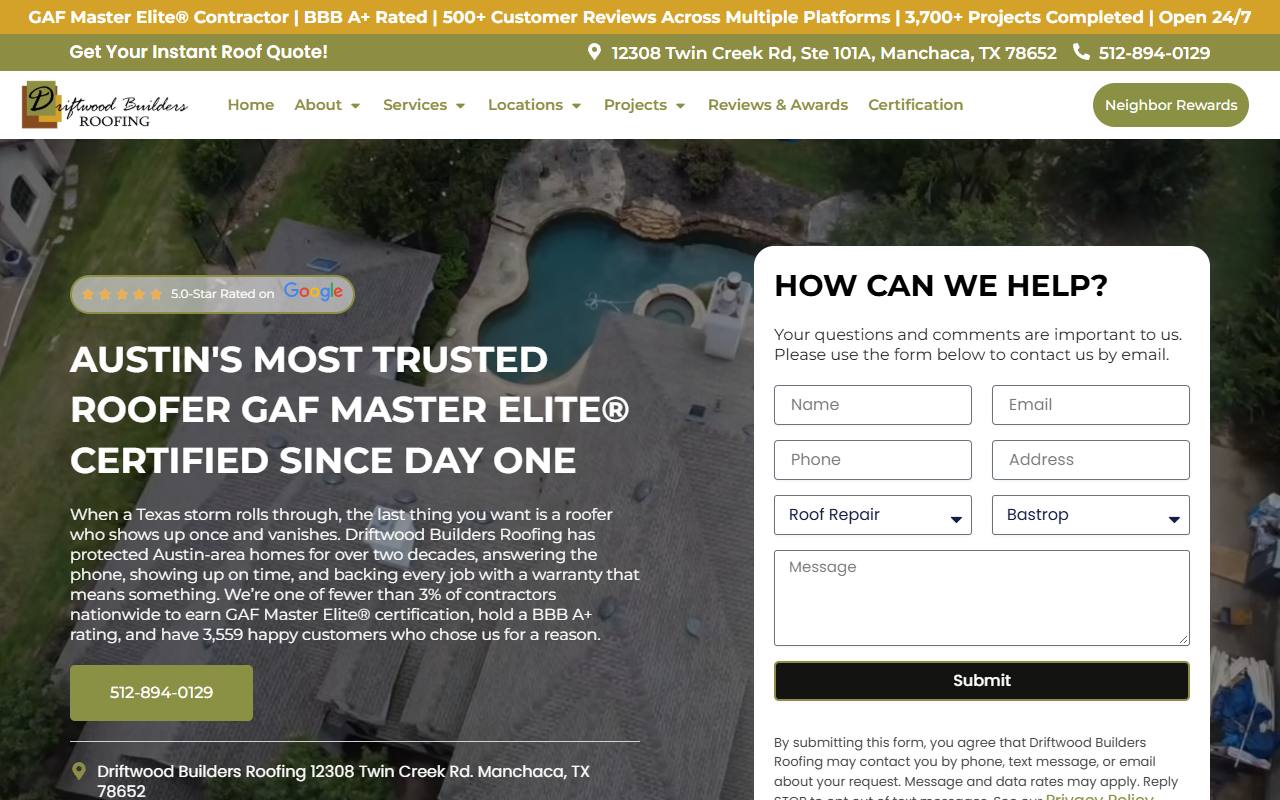
- The page still has to be readable.A crawler that is allowed in reads the HTML it is sent. A question as a heading with the answer as text under it, as on this page from a roofing company's website, is what it can use.
What is llms.txt, and does your site need one?
llms.txt is a proposal, not a standard a crawler must follow. The proposal, published by Jeremy Howard in 2024, describes a Markdown file, usually at /llms.txt, that gives AI agents a short guide to a website: its name, a one-paragraph summary, and lists of links to its most useful pages.
It is not robots.txt. It allows nothing and blocks nothing. The crawler documentation of OpenAI, Anthropic and Perplexity each names robots.txt as the control, and none of them says its crawler reads llms.txt when it builds a search answer. Google's guide to AI features says: "You don't need to create new machine readable files, AI text files, or markup to appear in these features."
- Robots.txt or llms.txt?Robots.txt first. It is the file the AI crawlers follow, and it is the file the checker on this page reads.
- Is it worth adding?It does no harm and takes minutes. Treat it as a tidy summary for agents that choose to read it, not as a way into AI answers.
- An llms.txt check by hand.Open yourcompany.com/llms.txt. A valid file starts with one heading that names the site, and that heading is the only required part. A summary in a quote block and link lists under second-level headings usually follow. A section headed Optional marks links an agent may skip.
llms.txt
# Your Company

> Roofing contractor for the Austin area: repair, replacement and storm damage.

## Services
- [Roof repair](https://yourcompany.com/roof-repair/): leaks, flashing and shingles
- [Roof replacement](https://yourcompany.com/roof-replacement/): materials and timelines

## Optional
- [Roofing guides](https://yourcompany.com/guides/)
How do I check whether my site blocks an AI crawler?
Use the checker at the top of this page, or read the file yourself. Both take a minute. Robots.txt is a plain text file at the top of a website, at /robots.txt, that tells crawlers which parts of the site they may fetch. It is a published standard, the Robots Exclusion Protocol, written down as RFC 9309.
- Type your domain.Enter the address of your site, such as yourcompany.com. The checker fetches https://yourcompany.com/robots.txt and nothing else.
- Read the eleven rows.Each name gets one of four labels: Allowed, Blocked, "Allowed, some paths closed" or "Blocked, some paths open", with the rule that decided it. A rule under the crawler's own name wins over the catch-all group, which is written with a star.
- Check by hand if you like.Open yourcompany.com/robots.txt in a browser. Look for a line that reads User-agent followed by the crawler's name, then for Disallow lines under it. Disallow followed by a single slash closes the whole site to that crawler.
- The longest matching rule wins.When an Allow and a Disallow both match an address, the more specific one decides, and Allow wins a tie. Google describes the same rule in its robots.txt guide. If a site has no robots.txt, a crawler may fetch any page.
- It is a request, not a lock.Well-behaved crawlers follow it. Nothing in the file can stop a crawler that chooses to ignore it, so it is not a way to keep private pages private.
What should I do if a crawler is blocked?
Find out which kind of block it is: the checker's last column names the rule that decided each row.
- Blocked under its own name.A group names the crawler and disallows everything. Someone chose this, often through a plugin, a template or an old decision. Ask who added it and why, then remove the group or change Disallow to Allow.
- Blocked by the catch-all group.The star group disallows everything, which is common on sites that launched from a staging copy. It blocks Google and Bing as well as AI crawlers, so fix it first: a site closed to every crawler cannot rank or be cited.
- Allowed here, blocked elsewhere.A firewall or CDN bot rule returns an error to AI crawlers, or a security plugin blocks unknown user agents. Server logs show whether the crawlers get through. Robots.txt cannot show any of this.

Does blocking AI crawlers stop AI from naming my business?
Not completely, and it depends on which crawler. Blocking a search crawler has the most direct effect: OpenAI says sites opted out of OAI-SearchBot will not be shown in ChatGPT search answers. Blocking a training crawler such as GPTBot or ClaudeBot only says your pages should not be used to train future models. Google-Extended is the exception among the training controls: blocking it also tells Google not to ground the Gemini app's answers on your pages.
An assistant can also name a business from what other sites say about it. ChatGPT, Perplexity, Gemini and Claude each named Belfair View Apartments, a Kihan Marketing client, for "rentals in belfair wa", and the details in those answers came from listing sites. What a blocked site loses is its own account of its services and service area.
- Does blocking AI crawlers hurt SEO results?Blocking the training names does not change how Google ranks you: Google says Google-Extended is not a ranking signal. Blocking Googlebot or Bingbot does, because it closes the site to the search engine itself.
- The reverse is also true.Letting every crawler in does not get you named. It only removes one reason you might not be. The rest is the work on our AI search page.

What can this AI crawler checker not see?
It reads one file, robots.txt. Firewall rules, noindex tags and unreadable pages are outside it, and each can matter more than the file does.
- Firewall and CDN blocks.A bot rule at your host or CDN can refuse an AI crawler that robots.txt allows. Only your server logs or your host can confirm it.
- Noindex tags and headers.A page can be open to crawlers in robots.txt and still tell search engines not to index it. That is set on the page, not in this file.
- Fetchers that may not follow the file.OpenAI says robots.txt rules may not apply to ChatGPT-User, and Perplexity says its user request fetcher generally ignores robots.txt, because a person asked for the page.
- Whether the page can be read at all.Copy that only appears after scripts run may be missed by a crawler that is allowed in. That is part of the SEO work, not robots.txt.
- Whether AI names you.That takes asking the questions your buyers ask and recording the answers. We track your prompts across AI models, weekly or daily, depending on your plan. See how to track AI visibility.
- Subdomains and other sites.Each host has its own robots.txt. The checker reads the one for the domain you type, with or without www, and no other.

Questions about AI crawlers and robots.txt
Which AI crawlers should my website allow?
For a local business that wants to be named in AI answers, Kihan Marketing's advice is to allow the search crawlers (OAI-SearchBot, Googlebot, PerplexityBot, Claude-SearchBot and Bingbot) and the user request fetchers (ChatGPT-User and Claude-User). Three names only decide training: GPTBot, ClaudeBot and Applebot-Extended. That is a policy choice for the owner. Google-Extended is different: it also controls whether the Gemini app may ground its answers on your pages, so a business that wants to be named by Gemini should not block it.
How do I check whether my site blocks AI crawlers?
Type your domain into the AI crawler checker from Kihan Marketing on this page. It reads your robots.txt and gives each of eleven AI crawler names one of four labels: Allowed, Blocked, "Allowed, some paths closed" or "Blocked, some paths open", with the rule that decided it. You can also open yourdomain.com/robots.txt in a browser and look for a User-agent line with the crawler's name followed by a Disallow line.
What is robots.txt?
Robots.txt is a plain text file at the top of a website that tells crawlers which parts of the site they may fetch. It groups Allow and Disallow rules under the names of the crawlers they apply to. It is a request that well-behaved crawlers follow, defined in RFC 9309, and not a way to lock pages.
Does blocking a crawler stop AI from naming my business?
Not completely. Blocking a search crawler such as OAI-SearchBot keeps your pages out of that product's search answers, but an assistant can still name your business from directories, reviews and other sites. Blocking a training crawler such as GPTBot only says your pages should not be used to train future models.
Does blocking GPTBot remove my site from ChatGPT?
No. GPTBot is OpenAI's training crawler. ChatGPT's search answers use a different crawler, OAI-SearchBot, and a rule that names GPTBot does not apply to it. OpenAI's crawler page says sites opted out of OAI-SearchBot will not be shown in ChatGPT search answers.
What should I do if a crawler is blocked?
Find the rule first. If a group names the crawler and disallows everything, someone chose that, so ask why before removing it. If the catch-all group disallows everything, the whole site is closed to search engines too and it should be fixed at once. If robots.txt allows the crawler, ask your host whether a firewall or CDN rule blocks it.
What is GPTBot, and should you allow it?
GPTBot is OpenAI's training crawler: it collects pages that may be used to train OpenAI's models. Allowing it is a policy choice for the owner. Blocking it does not remove you from ChatGPT search, which uses OAI-SearchBot, and allowing it does not get you named.
What is llms.txt?
llms.txt is a proposed convention, published by Jeremy Howard in 2024: a Markdown file, usually at /llms.txt, that gives AI agents a short guide to a website, with its name and usually a summary and lists of links. It is not a rule file like robots.txt, and it allows or blocks nothing. The proposal has the format.
Does my site need an llms.txt file, or is robots.txt enough?
Robots.txt is the file that matters for access. OpenAI's, Anthropic's and Perplexity's crawler documentation each names robots.txt as the control, and none says its crawler reads llms.txt for search answers. Google's guide to AI features says you do not need new machine readable files or AI text files to appear in AI Overviews or AI Mode. An llms.txt does no harm, and it is not a way into AI answers.
Should a business block AI crawlers?
A business that wants to be named in AI answers should not block the search crawlers (OAI-SearchBot, Googlebot, PerplexityBot, Claude-SearchBot and Bingbot) or the user request fetchers. Whether to block the training names is a policy choice. Blocking them does not change how Google ranks the site.
Is the AI crawler checker free, and does it store my domain?
Yes, it is free. The checker from Kihan Marketing sends the domain you type to our server, which reads that site's robots.txt in one request, or up to four if the site redirects between its plain and www address. It reads at most 200 KB, waits at most five seconds in all, and follows a redirect only between your domain and its www address, at most three. The result is held in server memory for up to 5 minutes and then dropped. Nothing is written to disk and nothing is logged: not the domain, not the file and not the result.
How many checks can I run with the AI crawler checker?
The AI crawler checker from Kihan Marketing allows 10 checks a minute from one visitor address and 120 a minute for all visitors together, counted on each server. A repeat check of the same site within 5 minutes is answered from the result that server holds in memory, without a new request to the site, and still counts as one of your checks. To keep that count, the server holds each visitor's address in memory for one minute and then drops it.
What are Google-Extended and Applebot-Extended?
They are control tokens, not crawlers. Google-Extended tells Google whether pages it has already crawled may be used to train Gemini models and to ground answers in the Gemini app, so blocking it can keep your pages out of what Gemini draws on. Google says it does not affect a site's inclusion in Google Search and is not a ranking signal. Applebot-Extended tells Apple whether pages Applebot has crawled may be used to train its generative models.
Which crawler do Google AI Overviews and AI Mode use?
Googlebot. AI Overviews and AI Mode are part of Google Search, and Google's guide to AI features says robots.txt rules for Googlebot are the control for how a site is crawled for Search. A page must be indexed and able to show a snippet in Google Search to be a supporting link in either one. The AI crawler checker from Kihan Marketing lists Googlebot for that reason.
Where to go next
ChatGPT SEO
What ChatGPT's search needs from your site.
How to track AI visibility
A fixed set of questions, asked again and again.
AI search: AEO and GEO
The work that gets a business named, once crawlers can read it.
Free AI citations check
We ask AI models what your buyers ask and show you who gets named.
What I appreciate most is that they understand the property management industry, not just marketing.
MichaelProperty management company

Allowed in is step one. See who AI names.
Send us your website. We ask AI models what your buyers ask, then show you who gets named. The check is free.
Or call (425) 954-3452 or email info@kihanmarketing.com.