









Choose on looks and you can find out in year two that the site cannot do the one thing your business now needs, or that leaving means building it again. Either way you pay for a second website.
Four questions decide what a site is like to own: who hosts it, who fixes it, what you can add later, and what happens if you want out.
What is the real difference between WordPress and Webflow?
Ownership. WordPress is software. Webflow is a service.
WordPress describes itself as open source software, "licensed under the General Public License (GPLv2 or later)". You download it, put it on hosting you choose, and it is yours to change. Webflow describes itself as a platform that "gives every team the tools to build, manage, and grow a website". You build inside Webflow, and Webflow hosts the result.
WordPress vs Webflow at a glance
| Question | WordPress | Webflow |
|---|---|---|
| What is it? | Open source software, free to download | A hosted website platform, paid by plan |
| Who hosts it? | Any host you choose | Webflow |
| Who runs updates and security? | You, your host or your agency | Webflow |
| How do you add features? | Plugins, or custom code | Built-in features, Webflow Apps, or custom code |
| Can you move it elsewhere? | Yes, the files and the database move to another host | Partly. Code can be exported, without the CMS content or working forms |
| How widely is it used? | 38.7% of all websites (W3Techs) | 0.8% of all websites (W3Techs) |
Usage figures are from W3Techs, November 2026. WordPress.org's own site still states "more than 43% of the web", so we give both figures with their sources.
Who hosts and maintains the website?
This is Webflow's strongest point, and it is a real one. Its hosting page, under the heading "Zero maintenance", says: "No updates to run, packages to install, or capacity planning." SSL is included with every site plan, and protection against traffic attacks is built in. For an owner with no developer on call, that is worth a lot.
With WordPress, someone has to do that work. WordPress.com's own comparison says a self-hosted WordPress site means you "build and maintain your website on your own", and that security "depends on your host and hosting package". In practice that means updates to WordPress itself and to each plugin, backups, and a host that takes security seriously.
None of that is hard, but it is not optional. A WordPress site that nobody updates is where most of the horror stories come from. If you choose WordPress, decide on day one who is responsible: you, a managed host, or the agency that built it.
Webflow removes the upkeep and keeps the keys. WordPress hands you the keys and the upkeep.
Neither is wrong. They suit different owners.
What can each one do beyond a brochure site?
For five pages and a contact form, either is fine. The gap opens when the site has to do something specific to your business.
WordPress has the larger toolbox. Its plugin directory passed 60,000 plugins, according to the project's State of the Word post of December 3, 2025. And because the software is open, a developer can write a plugin for anything that is missing.
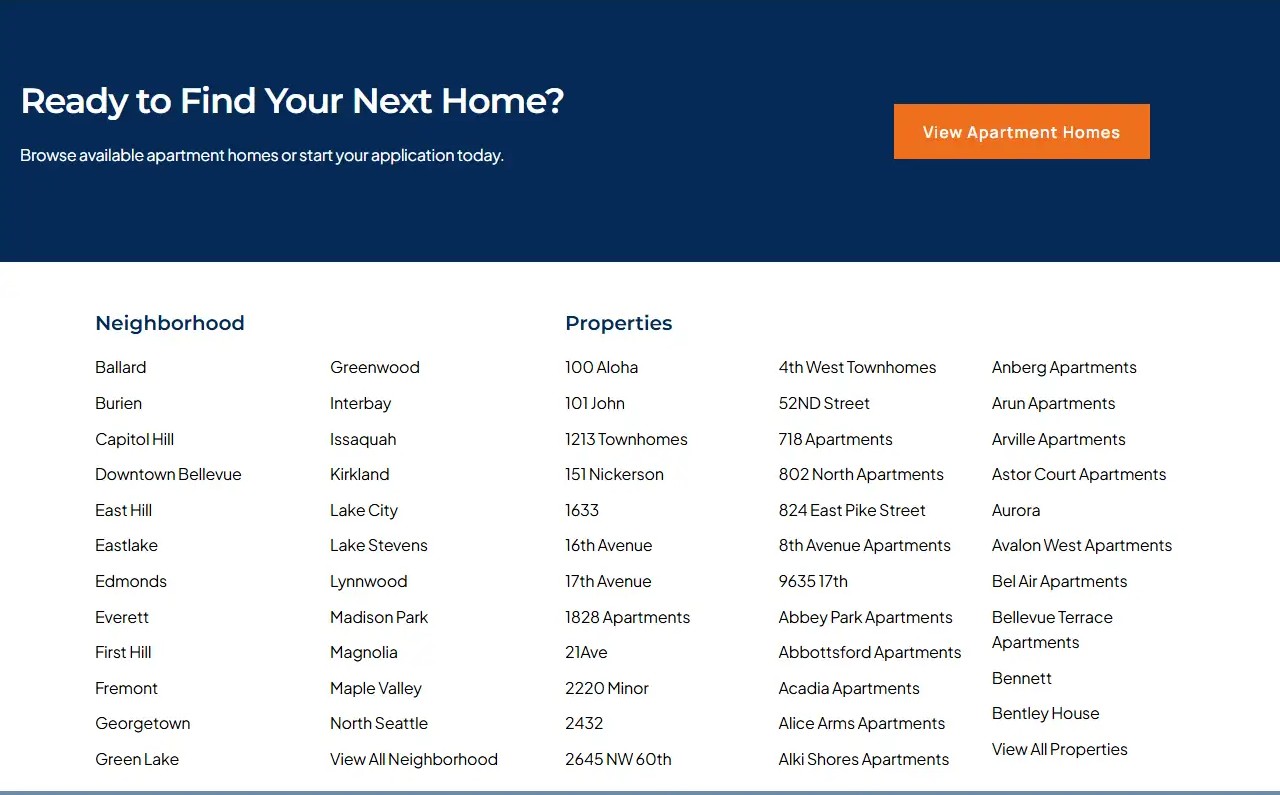
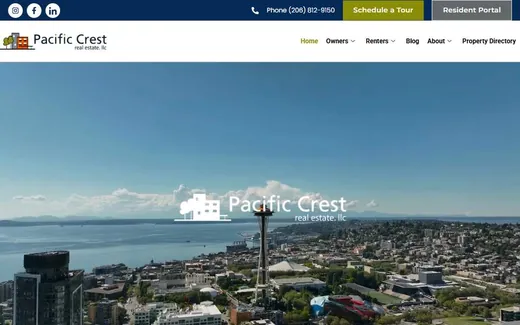
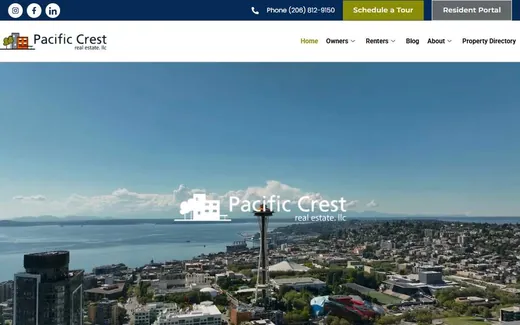
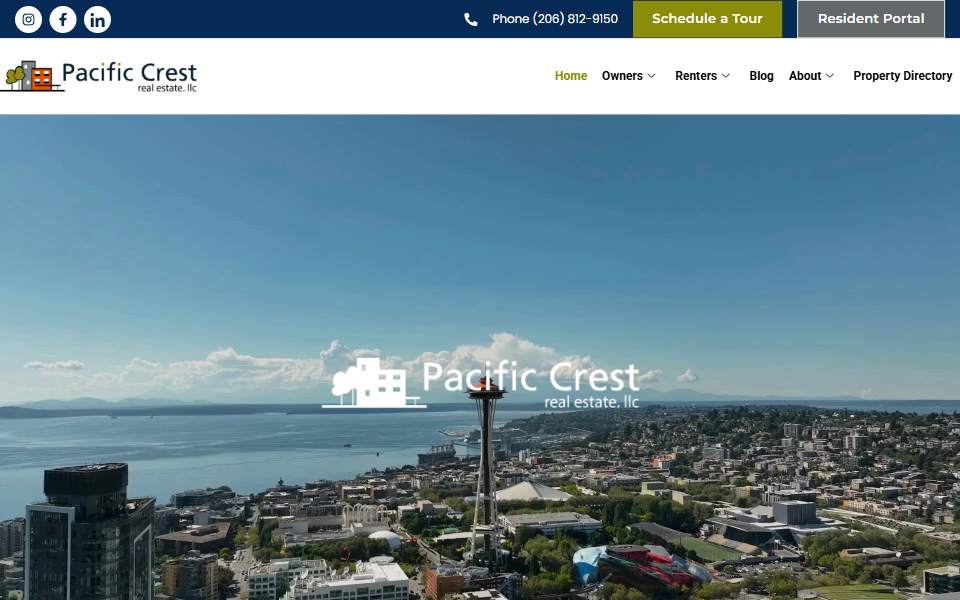
Pacific Crest Real Estate, a Kihan Marketing client, runs on property management software called AppFolio. We wrote a WordPress plugin, Listings Pro, that shows live AppFolio availability on the company's own website. The site went from 5 pages to more than 250, with a page for every property. The full story is in the case study.
Webflow's answer is its built-in CMS, its Apps marketplace and custom code. That covers a great deal: blogs, team pages, portfolios, simple directories. If your site has to connect to outside software or carry a very large number of pages, ask a Webflow builder to show you a live site that does the specific thing you need before you commit.

Which is easier for your team to edit?
Both let a non-developer change text and pictures. Webflow is a visual design tool first, and designers love the control. WordPress uses a block editor, its default since WordPress 5.0 in December 2018, and writing a page in it is close to using a word processor.
How either one feels depends far more on how your site was built than on the platform. So do not take anyone's word for it. Run this test before you sign.
If that takes you more than ten minutes, the build is wrong for your team, whichever platform it is on.
WordPress vs Webflow for SEO and AI search: is one better?
No. Google ranks pages, not platforms. Both can produce fast pages with clean headings, proper titles and a sitemap. Webflow's help center says it can generate a sitemap automatically, once the setting is turned on, and updates it each time you publish. On WordPress a sitemap usually comes with the SEO plugin.
For a local business, WordPress has more ready-made help. Plugins such as Rank Math, and the paid plans of Yoast SEO and All in One SEO, add local business structured data without custom code. On Webflow the same things are possible, usually through custom code.
For AI search the platform matters even less. When we checked 53 client sites, what the cited pages shared was a clear answer to one customer question. That is a writing job. Either platform can publish it.
What happens if you want to leave?
Ask this before you start, not after. It is where the two differ most.
A WordPress site is files and a database. Both can be copied to another host, and another developer can pick the site up. You are tied to the people who know your build, not to one company.
Webflow lets you export code on some plans, and its help article is direct about the limits: CMS and ecommerce content "aren't included in exported code", and "site search and forms" will not work on an exported site. The article also says code export is available on paid Workspace plans and not on Site plans. So you can take the design with you. The content system and the forms stay behind and have to be rebuilt.
That is not a reason to avoid Webflow. Plenty of businesses never leave. It is a reason to keep your own copy of your text and pictures, on any platform, and to hold the accounts in your own name.
Which should a local business choose?
| Your situation | Leans toward | Why |
|---|---|---|
| A design-led site of a few pages, and nobody technical on the team | Webflow | Hosting, security and updates are handled for you |
| You need live listings, bookings or data from other software on the site | WordPress | Plugins exist, and custom ones can be written |
| You plan hundreds of pages: every property, every service area | WordPress | It handles large, structured sites. One of our clients runs more than 250 pages on it |
| You want the freedom to change host or developer | WordPress | The whole site moves |
| You want one bill and no maintenance decisions | Webflow | One company runs the platform |
| Your team will publish articles every week | Either | Both have a capable CMS. Test the editor first |
What it costs depends on the same things on both: how many pages, what the site must connect to, who writes the content, and who looks after it once it is live. Compare quotes on the same scope, and include the running costs for three years, not only the build.
Whichever you pick, three things matter more than the platform: that the site is in your name, that the pages answer what your customers ask, and that someone is responsible for it after launch.
What should you do before you sign?
Write down the one thing your site must do in two years that it does not do today: live listings, online booking, a page for every town. Then ask each builder to show you a live site that already does it, on the platform they are proposing.
A builder who can show it has answered the WordPress or Webflow question for you.
Website developmentWordPress, Next.js and custom builds, with the client owning the site and the accounts.Questions about WordPress vs Webflow
Is WordPress or Webflow better for a small business website?
It depends on what the site must do. Webflow suits a design-led site of a few pages where nobody wants to manage hosting or updates. WordPress suits a site that needs plugins, connections to other software or many pages, and an owner who wants the freedom to change host or developer.
Is Webflow better than WordPress for SEO?
No, and the reverse is not true either. Google ranks pages, not platforms. Both can produce fast pages, clean headings, titles and a sitemap. WordPress has more ready-made plugins for local business details, and Webflow can do the same with custom code.
Can I move a Webflow site to WordPress later?
The design can be rebuilt, but it is not a one-click move. Webflow's help center says exported code does not include CMS content, and that forms and site search do not work on an exported site. Plan to rebuild the content system and the forms.
Is WordPress secure?
It can be, if it is kept updated on a careful host. With self-hosted WordPress, the owner, the host or the agency is responsible for updates and backups. With Webflow, the platform handles updates and security for you.
How much does a WordPress or Webflow website cost?
It depends on the number of pages, what the site must connect to, who writes the content and who maintains it after launch. WordPress software is free and you pay for hosting and upkeep. Webflow charges for a plan that includes hosting. Compare quotes on the same scope over three years.
Which does Kihan Marketing build on?
Kihan Marketing builds on WordPress and Next.js, and writes its own plugins where a business needs something the software does not offer. The client always owns the website and the accounts. See WordPress development.