











What is Apple Business?
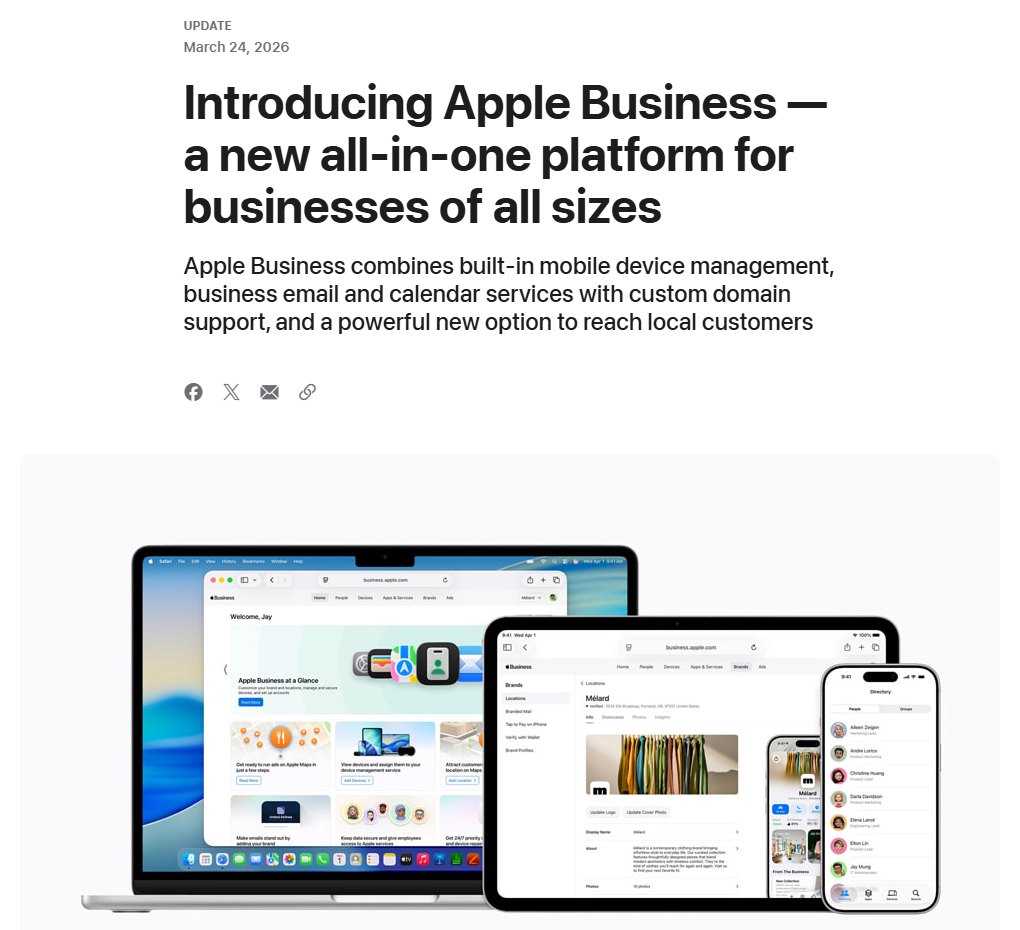
Apple Business is one free account at business.apple.com that joins three older Apple services: Apple Business Connect (Maps listings and brand profiles), Apple Business Essentials and Apple Business Manager (device management). Apple announced it on March 24, 2026 and launched it on April 14 in more than 200 countries and regions.
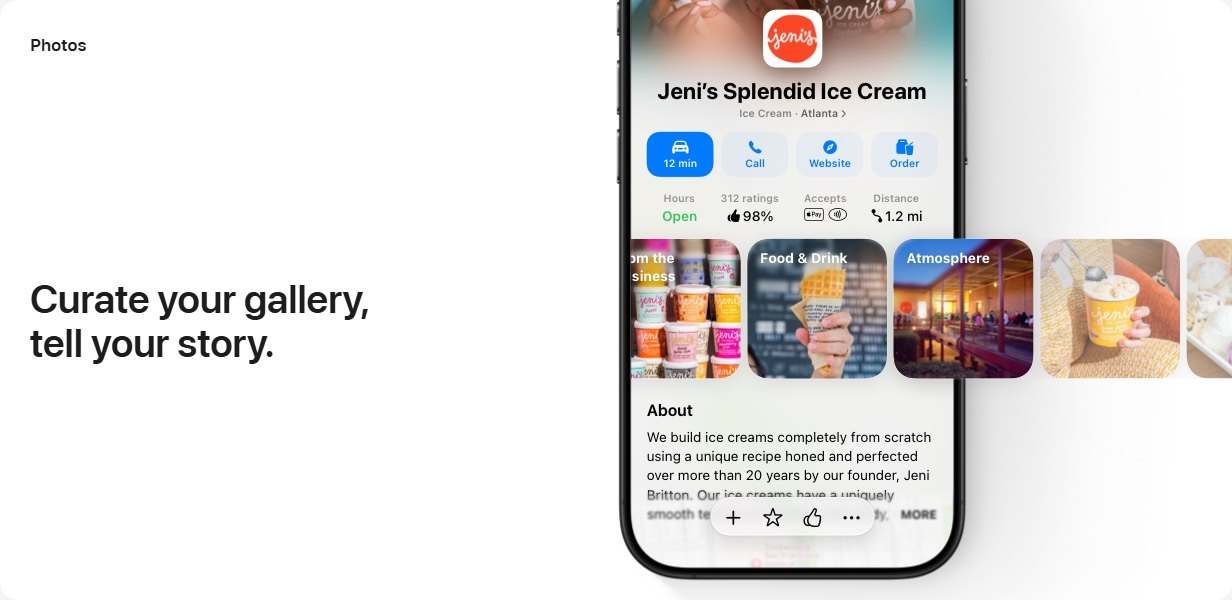
For a local business, the part that matters is what Apple calls Grow: your Apple Maps place card, your brand across Apple apps, showcases, custom actions, insights and ads on Maps.
What changed from Apple Business Connect?
| Apple Business Connect (until April 14, 2026) | Apple Business (since April 14, 2026) | |
|---|---|---|
| Your data | Claimed locations, place cards, photos | Moved over automatically at launch |
| Sign-in | Personal Apple Account | The same account works for brand and location tools; a Managed Apple Account unlocks everything |
| Ads on Apple Maps | Not offered | Available in the US and Canada |
| Other tools | Listings and brand only | Also device management, business email, calendar and directory |
From Apple's announcement and the Apple Business User Guide.
Free checks from Kihan Marketing
Pick the one that fits where you are stuck.
Where does your Apple Business listing appear?
Further than Apple Maps. Apple says the place card also appears in Siri, Safari, Spotlight, Calendar and Messages.
| Where | What customers see | What you set up |
|---|---|---|
| Apple Maps | Your place card: name, logo, photos, hours, phone, website, ratings, showcases, action buttons | A claimed, verified location |
| Siri, Safari, Spotlight, Calendar, Messages | Place card details | Nothing extra |
| Wallet | Your brand name and logo, including on tracked orders | A brand with an approved logo |
| Mail and iCloud Mail | Your logo and name on your emails | Branded Mail: a commercial domain with DKIM and DMARC |
| Tap to Pay on iPhone | Your logo and name when customers pay | Your brand linked to your payment provider's merchant ID |
How do you claim and verify a location on Apple Maps?
Verify the organization first, then claim each location. Apple's own steps, in order:
- Sign up at business.apple.com. Enter the organization's name, address and website (optional, but Apple says it speeds up verification). Former Business Connect users sign in with the same Apple Account.
- Verify the organization within 60 days. In Settings > Organization, select Verify Now and give two methods: a Business ID (D-U-N-S Number or EIN), a DNS TXT record, or a document such as a business license, lease or utility bill. It takes up to five business days. Unverified organizations are deleted.
- Add the location. In Brands > Locations > Add Location, enter the name, drag the pin onto the right building, then set the primary category, phone with country code, website, hours and brand.
- Claim an existing place by phone if offered. Apple may call the number it already has for the place and give you a four-digit code.
- Request a transfer if someone else manages it. Add the location anyway, select Request Transfer and attach a business license or utility bill. Review takes up to five business days.
An apartment community whose old leasing number is still on Apple Maps should know that phone verification calls that old number.
How do you optimize an Apple Maps place card?
Fill every field Apple offers, and keep each one identical to your website and Google Business Profile. Apple says claimed businesses get 30 percent more views.
A good showcase is one offer at one place: a seasonal treatment at a med spa with a Book button, or a leasing special at one apartment community linked to that community's page. Showcases run up to 365 days, 90 by default.
Is your Apple Maps listing right?We compare your Apple Maps place card with your Google, Bing and ChatGPT listings and send you every mismatch.Can you run Apple Maps ads?
Yes, if your locations and organization address are in the United States (not American Samoa or the Northern Mariana Islands) or Canada. You create ads inside Apple Business once your locations are verified.
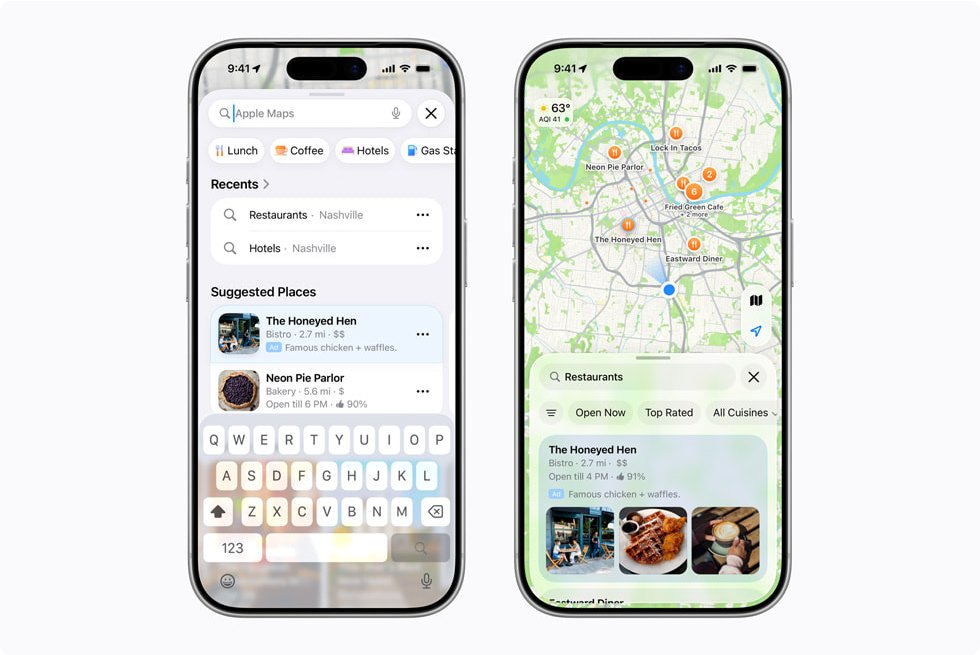
- Where they show: at the top of Suggested Places or of relevant search results. Apple picks the placement; you cannot.
- What you supply: up to three images or one logo, plus optional promotional text.
- What you pay: a monthly budget maximum you set, stoppable anytime. Eligible new advertisers get a one-time 150 USD credit.
- What is fixed for good: the account's currency and time zone.
- Who cannot advertise: home services. Apple names plumbing, electrical, locksmith, HVAC, pest control, roofing and general contracting. A roofer can still fill a free place card.
What do Apple Business insights show?
How people found your location on Maps and what they did next. Data starts within an hour of verification.
| Insight | What it counts |
|---|---|
| Search taps | Taps on your location in search results |
| Search type | Whether people searched your name, a category such as "apartments", or something else like an address |
| Spatial insights | A heat map and the top 10 zip codes where searchers were, and where directions started |
| Place card views | Views from search, the map, and links from Apple or other apps |
| Actions | Taps on directions, website, call, share, photos, showcase and your action buttons |
| Similar locations | How your search taps compare with similar businesses nearby, when there is enough data |
Small counts below Apple's privacy threshold show as zero, so read longer periods for a small business.
You can view it by day, week or month and download a CSV. For several locations, Location Reports give up to 14 months of history, one brand per report.
How do you manage many locations in Apple Business?
Set up the brand once, then add locations under it. With the organization verified, go to Brands > Locations > Manage > Add Multiple Locations, download the template and fill one row per location, up to 10,000 rows a file, before sending it to Apple for review. A property management company can also hand the work to a listings agency, which registers as a third-party partner and is verified by Apple.
Apple Business vs Google Business Profile: what is different?
| Apple Business | Google Business Profile | |
|---|---|---|
| Where it shows | Apple Maps, Siri, Safari, Spotlight, Wallet, Mail | Google Search, Google Maps and other Google services |
| Fields | Name, address, pin, categories, About, hours, phone, website, photos, Good to Know, actions, showcases | Name, address, hours, contact details, photos and more |
| Verification | The organization by two methods, up to five business days; existing places sometimes by phone | Each profile by phone, text, email, video or postcard, as Google offers |
| Reviews | Apple Maps ratings and photos from Maps users | Google reviews |
| Replying to reviews | No reply tool in the Apple Business User Guide | Yes, after verification |
| Ads | Ads on Maps through Apple Business, US and Canada, home services excluded | Google Ads with location assets, which can show on Google Maps |
| Cost | Free; ads are paid | Free; ads are paid |
Google's checklist is in our Google Business Profile optimization checklist.
Why does Apple Business matter for Siri and AI assistants?
Because each platform answers from its own listing. Apple says your place card appears in Siri. Google shows your Business Profile, Bing keeps listings in Bing Places, and since November 10, 2026 ChatGPT has business listings owners can claim (local businesses only existing US ones). Each keeps its own copy of your facts, so fixing Google does not fix Apple Maps. Apple Intelligence also reads order emails for Wallet, so include the merchant name, order number and tracking number.
Next: claim your business in ChatGPT.
Free listing auditSend us your business name. We check Apple Maps, Google, Bing and ChatGPT and show you every fact that does not match.Questions about Apple Business
Is Apple Business free?
Yes. Apple Business has been a free service since April 14, 2026, and claiming and managing Apple Maps locations costs nothing. Ads on Apple Maps are paid, up to the monthly budget you set.
What happened to Apple Business Connect?
Apple retired it when Apple Business launched on April 14, 2026, and moved its data across automatically, including claimed locations, place card details and photos. You sign in to Apple Business with the same Apple Account.
How long does Apple Business verification take?
Verifying the organization takes up to five business days, and you have 60 days after signing up to finish. Location transfers take up to five business days, actions up to three business days, and showcases up to three calendar days.
Can my roofing company advertise on Apple Maps?
No. Apple's rules for ads on Maps exclude home services and name roofing, plumbing, HVAC and general contracting among them. You can still claim your location for free and fill in the place card and showcases.
How do I change my hours on Apple Maps?
Sign in to Apple Business, open the location under Brands > Locations and edit its hours, using temporary hours for holidays and closures. If customers report wrong hours, Apple may change them and email you to accept or contest the change.
Do I need an iPhone or Mac to use Apple Business?
No. The brand and location tools run in a web browser at business.apple.com. Only the companion app and the email, calendar and directory features need iOS 26, iPadOS 26 or macOS 26.