











What basics does Google check first?
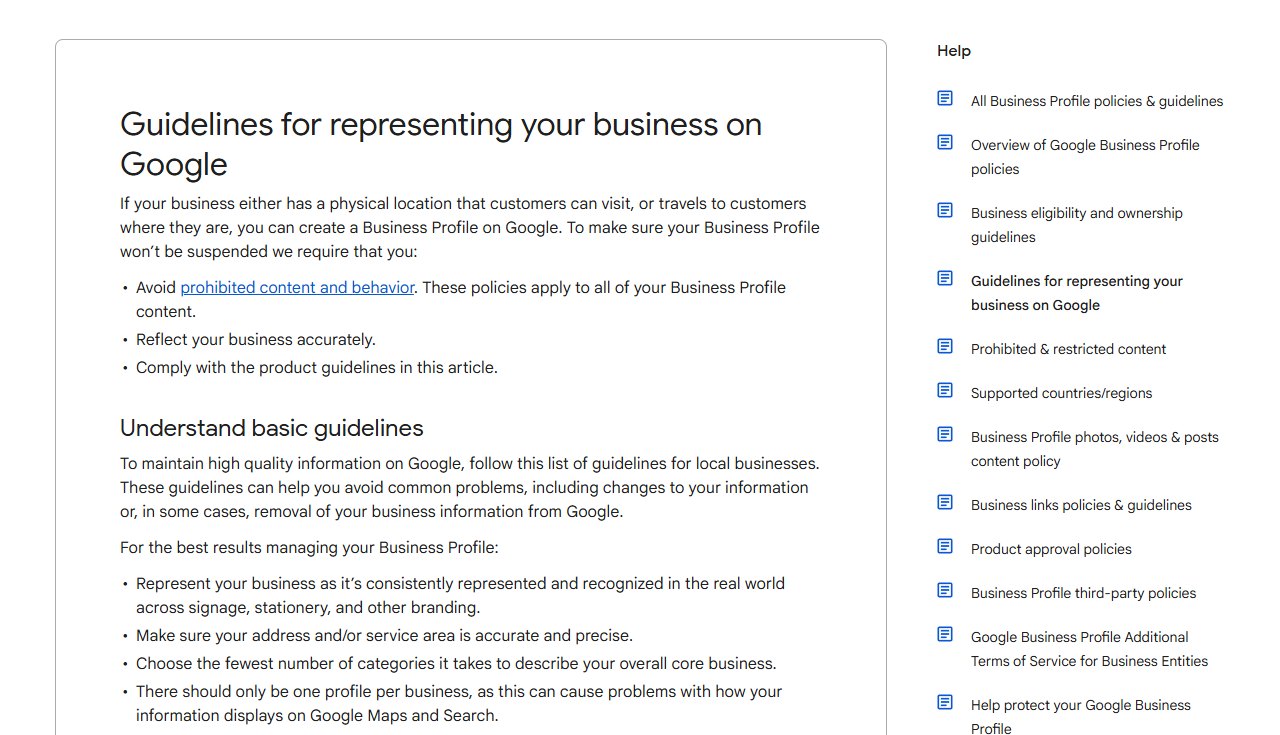
Name, category, address or service area, hours, phone and website. These are the fields Google's guidelines police, and a wrong one can get the profile edited by Google or suspended.
The core fields and Google's rules
| Field | Google's rule | The usual mistake |
|---|---|---|
| Business name | Your real-world name, as on your signage and stationery. No taglines, store codes, trademark symbols, all-caps words, hours, phone numbers, URLs, service descriptions or location details. | A roofer that adds "Roof Repair Denver" after its name. |
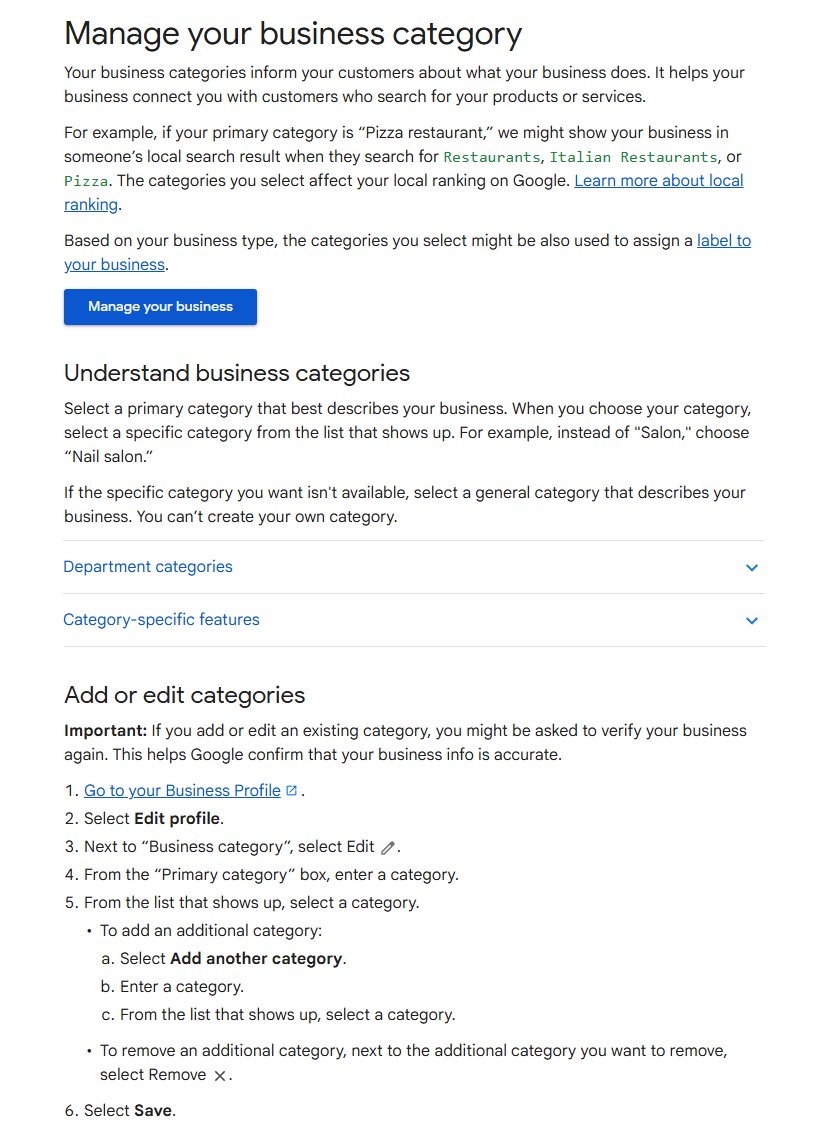
| Primary category | The most specific category that describes the business as a whole. You cannot create your own. | A general category picked when a more specific one exists in Google's list. |
| Additional categories | A few, for real departments or services. Pick what the business IS, not what it HAS. | A category for every service, used as keywords. |
| Address or service area | A precise address with permanent signage, or up to 20 service areas set by city or postal code. No P.O. boxes, no virtual offices, no radius. | A home-based contractor showing a home address customers never visit. |
| Hours | Regular customer-facing hours, plus special hours for holidays. Appointment-only businesses generally should not list hours. | Holiday closures left off, so customers drive to a locked door. |
| Phone | A local number for that location, under the business's direct control. No premium numbers. | One central call center number on every location. |
| Website | A page that represents that location. No redirects to other sites. | Every location linked to the home page. |
From Google's guidelines for representing your business, its category page and its service area page.
Which other fields should you fill in?
All of them that apply. Every field you leave empty is a question a customer, or Google's AI, has to answer from somewhere else. Google reviews your changes before they go live, so edit once, carefully.
Free checks from Kihan Marketing
Four free checks, each with a written result you can act on.
What photos and videos does Google want?
Real, well-lit photos of the place, the work and the team. Google's specs: JPG or PNG between 10 KB and 5 MB, 720 by 720 pixels recommended and 250 by 250 at minimum, in focus and without heavy filters. Videos can run up to 30 seconds and 75 MB at 720p or higher.
- Logo and cover photo. Google may not show your logo unless the profile has a name, a valid address, categories, a phone number and hours, and a low-quality cover photo can be replaced by a customer's photo.
- Exterior. Google says an exterior photo helps customers recognize the business. For an apartment community, the entrance and the leasing office door.
- The work. Finished roofs, renovated units, treatment rooms, staged listings. Add new ones every month rather than fifty at once.
How should you ask for and answer reviews?
Ask every customer the same way, and answer every review. Google gives you a review request link and a QR code for asking. Replies appear publicly under your business name, not your personal name, and the reviewer is notified.
Reviews: our advice, within Google's Maps content policy
| Allowed | Not allowed |
|---|---|
| Sending your review link or QR code to every customer | Offering payment, discounts, free goods or services for a review |
| Encouraging reviews of genuine experiences, without incentives | Asking only happy customers, or discouraging negative reviews (review gating) |
| Replying to every review, good and bad | Pressuring people to review while they are on your premises |
| Thanking reviewers who mention the service | Telling staff to collect a set number of reviews, or asking for specific wording |
Reviews posted because of an incentive are removed from Maps.
Do Google posts and offers still matter?
They keep the profile current and give customers a reason to act. There are three types: Updates, Offers with a "View Offer" button, and Events. Posts older than 6 months are archived unless you set a date range. Post a seasonal offer, an open house or a storm inspection reminder once or twice a month. Google may reject a post whose phone number it cannot connect to your business.
How do messaging and booking work on a profile now?
Customers can now message and book from the profile itself, so set up only what someone will answer.
- Turn on chat. In Edit profile, then Contact, edit Chat and add a WhatsApp click-to-chat link or a phone number that receives texts. If you add both, customers only see text. Chat is offered in select regions. Since November 5, 2026, Google says a Message button sits next to Call on Maps listings on Android and iOS.
- Know what is still being tested. Search Engine Roundtable reported an early-access pilot of AI-powered messaging on October 29, 2026, in which Google's AI agent answers routine questions and passes complex ones to the owner. It also reported Google asking some businesses for an EIN and a privacy policy URL before messages are switched on, with a partner review of about three to four working days, and on November 16 a Facebook Messenger option under Chat.
- Set up booking on purpose. Under Bookings you can pick a provider through Reserve with Google, or add your own link. Providers may charge you. On November 9, 2026, Search Engine Roundtable reported that Google may be adding "Book Online" buttons automatically to some profiles, with some links going to a contact page and some returning errors. Check your profile and replace any button that leads somewhere wrong.
How do Ask Maps and Gemini use your profile?
Ask Maps answers questions inside Google Maps with Gemini. Google says it analyzes information from over 300 million places and reviews from more than 500 million contributors. Google has not published which profile fields carry the most weight, so the safe course is the one above: complete, true fields and reviews that describe the work.
Google's AI may call your business
Since November 16, 2026, Google has been rolling out Ask Maps calls to local businesses that find beauty, pet care, auto and home repair appointments, in the US first. Google's help page says its automated calls and texts also confirm hours and services, check prices and availability, and can post updates to your profile from what you say. In the US they run in every state except Indiana, Louisiana, Minnesota, Montana and Nebraska.
What gets a profile suspended, and how do you appeal?
Keyword-stuffed names, virtual offices, duplicate profiles and facts that do not match your documents. Google chooses your verification method: phone or text, email, live video call, mail or a video recording, and reviews can take up to 5 business days. Search Engine Roundtable reported on October 20, 2026 that Google is testing verification with a photo of a government ID; it is not in Google's help documents.
Which other listings need the same facts?
AI assistants and map apps read more than Google. Keep the name, address, phone, hours, website and category identical on each of these.
| Listing | Where you manage it | What to know |
|---|---|---|
| Apple Maps | Apple Business | Replaced Apple Business Connect on April 14, 2026, free, in more than 200 countries and regions. |
| Bing and Microsoft Copilot | Bing Places for Business, now at bing.com/forbusiness | Can import your listing from Google, keeping name, hours and contact details. |
| ChatGPT | Business Hub in ChatGPT (beta) | Local stores can only claim an existing US listing. Verify by phone, email, DNS record or Shopify, then an identity check. OpenAI reviews edits before they publish. |
Our guides to claiming your business in ChatGPT and Apple Business walk through each one.
How do you know the profile is working?
Open Performance on your profile and pick a date range. The report shows views on Search and Maps, the searches people used to find you, and actions: calls (clicks on the call button), messages, bookings through a provider, directions and website clicks. Only the metrics that apply to your business appear.
Get the free listing auditSend us your business name. We check your Google, Apple, Bing and ChatGPT listings and send you the fixes, field by field.Questions about Google Business Profile optimization
What is the most important part of a Google Business Profile?
The primary category, followed closely by an accurate name and address or service area. Google's help page says the categories you choose affect your local ranking. Pick the most specific category that describes your whole business, not the one with the most searches.
Can I put keywords in my Google Business Profile name?
No. Google's guidelines say the name must match your real-world name and forbid taglines, service descriptions and location details. Adding them can get the profile suspended. Put services and areas in the services, description and service area fields instead.
Can I offer a discount in exchange for a Google review?
No. Google's Maps content policy forbids offering payment, discounts, free goods or services for a review, and reviews posted because of an incentive are removed. It also forbids asking only happy customers. Send the same review link to every customer.
How do I stop Google from calling my business?
On a verified profile, go to More, then Business Profile settings, then Advanced settings. Under "Google automated calls and text messages" you can turn off booking calls, profile update calls and posts made on your behalf. You can also tell a Google caller to stop calling.
My Google Business Profile was suspended. Should I make a new one?
No. Google says not to create a new profile for the same business. Gather registration, license, tax or utility documents that show the same name and address as the profile, then submit one complete appeal, because appeals can only be submitted once.
Does ChatGPT use my Google Business Profile?
OpenAI has not said so. ChatGPT now has its own listings, claimed in Business Hub, and OpenAI's help article does not mention importing from Google. Keep the same facts on Google, ChatGPT, Apple Business and Bing Places so every source agrees.