The best social media marketing tools for small business in 2026 fall into three groups. Schedulers like Buffer and Hootsuite plan and queue posts. All-in-one suites like HubSpot and Zoho Social tie posts to your CRM. Free tools like Meta Business Suite and Canva cover the basics at no cost. Three things decide the fit: how many networks you post to, whether you need to track results or report to clients, and your budget. Most small businesses need a scheduler, a design tool, and a way to see results. They do not need a dozen separate apps.
Keep the stack lean. One scheduler, one design tool, and one place to see results cover most small businesses. Free tools are enough for one or two networks. Pay for Hootsuite, Zoho Social or HubSpot once you manage 3 or more, need team sign-off, or want posts tied to leads. Judge every tool by cost per lead, not likes.
- Capture more leads by pairing a scheduler with a clear content calendar, instead of posting on the fly.
- Build a lean stack of 3 to 4 tools that cover scheduling, design, results, and replies, not a dozen apps that overlap.
- Stop paying for enterprise software if you post to fewer than 5 accounts. Free and low cost tools cover most small business needs.
- Use the 5-3-2 or 5-5-5 rule as your content mix. Then batch a week of posts in one sitting with your scheduler.
- Grow by tracking cost per lead from social, not likes or impressions, and cut any channel that does not convert.
What Social Media Marketing Tools Actually Do
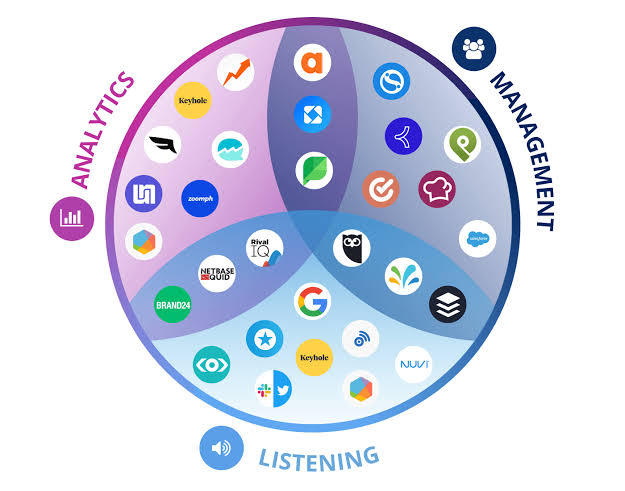
Social media marketing tools handle four core jobs. They schedule posts across networks, design graphics and video, track results, and manage comments and messages. Most small businesses only need software that does those four jobs well. They do not need a bloated platform full of features they will never open.
The Core Categories You Need
Every social media tool on the market falls into one of a few buckets. Learn the buckets first. That keeps you from buying two tools that do the same job.
A lean stack for most small businesses looks like this: one scheduler, one design tool, and a place to see results, either built in or separate. Property managers, dental practices, and home services companies rarely need more than that to keep a steady presence.
- Scheduling and publishing. Tools like Buffer and Hootsuite let you plan and queue posts for Instagram, Facebook, LinkedIn, and other networks from one screen.
- Design and content creation. Canva and tools like it turn photos and brand colors into finished graphics, with no designer on staff.
- Analytics and reporting. Native insights, or the reports inside tools like Zoho Social, show which posts actually drive clicks and leads.
- Engagement and inbox management. Some suites pull comments and DMs from every network into one inbox, so nothing gets missed.
Why Tools Alone Will Not Fix a Weak Strategy
A scheduling tool makes posting faster. It does not decide what to post or why. Buy software before you define your audience and offer, and you usually end up with a tidy calendar full of content nobody engages with.
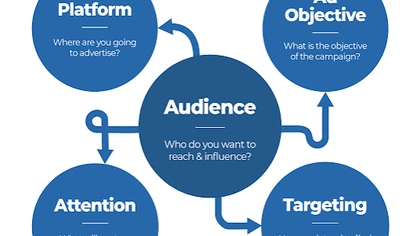
The order matters. Nail down who you are talking to and what you want them to do. Then pick tools that make that plan easier to run. Kihan Marketing builds social media programs for clients the same way: strategy first, software second.
A tool does not fix a content problem. It just makes a bad strategy faster to execute.
Best Paid Social Media Management Tools in 2026
The best paid social media management tools for small business in 2026 are Buffer, Hootsuite, Zoho Social, and Sprout Social. Each suits a different team size and budget. A paid tool earns its cost when you manage 3 or more networks and need scheduling, results, and team access in one place.
Buffer and Hootsuite for Everyday Scheduling
Buffer is built to be simple. The screens are clean, pricing is per social channel, and the reports show what works without digging through menus.
Hootsuite scales further. It has deeper reporting, bulk scheduling, and controls over who on the team can post. It costs more, but it fits a business juggling a dozen or more accounts across many locations. That is common for multifamily groups that manage several apartment communities.
- Buffer fits a solo owner or one marketing hire who needs to plan a week of content in under an hour.
- Hootsuite fits agencies and businesses with many locations that need sign-off before anything goes live.
- Both connect to Canva, so design and scheduling live in nearly the same workflow.
Zoho Social and HubSpot for CRM-Connected Marketing
Zoho Social is a strong pick if you already use Zoho’s CRM or other Zoho apps. They all talk to each other. It also posts to Google Business Profile. That matters for local businesses like roofing companies and med spas, which want to stay visible in local search as well as on social.
HubSpot’s Marketing Hub ties social scheduling to your contact list. So you can see which posts turned into a form fill or a booked appointment. That link between social activity and sales is what separates a tool that reports vanity metrics from one that reports revenue.
- Zoho Social has a usable free plan for a single user, and low cost paid tiers for small teams.
- HubSpot ties social posts to contact records, useful for law firms and dental practices tracking lead sources.
- Both support Google Business Profile optimization workflows alongside social scheduling.
| Tool | Best For | Starting Price | Platforms Supported |
|---|---|---|---|
| Buffer | Solo owners and lean teams needing simple scheduling | Free plan available, with affordable paid plans priced per channel | Instagram, Facebook, X, LinkedIn, TikTok, Pinterest, Mastodon |
| Hootsuite | Businesses managing multiple accounts with reporting needs | Paid plans priced at the higher end for multi-account management | Instagram, Facebook, X, LinkedIn, TikTok, YouTube, Pinterest |
| Zoho Social | Small businesses already using Zoho CRM | Free plan available, with affordable paid plans | Instagram, Facebook, X, LinkedIn, TikTok, Google Business Profile |
| HubSpot Marketing Hub | Businesses wanting social tied to CRM and lead tracking | Free tools available, paid plans scale with contacts | Instagram, Facebook, X, LinkedIn |
| Meta Business Suite | Free management of Facebook and Instagram only | Free | Facebook, Instagram |
| Canva | Creating on-brand graphics and short video without a designer | Free plan available, with an affordable Pro plan | Export to all major platforms |
Best Free Social Media Marketing Tools
The best free social media marketing tools in 2026 are Meta Business Suite, Buffer’s free plan, Canva’s free tier, and Later’s free plan. Together they cover scheduling, design, and basic results with no paid plan at all. Free tools work well if you post to one or two networks, or are still building a steady posting habit.
Meta Business Suite for Facebook and Instagram
Meta Business Suite is free and built by Meta itself. So it supports every native feature on Facebook and Instagram, including Reels scheduling and ad account access. It is the surest free pick if those two networks are your main focus.
The trade-off is that it only covers Meta networks. If you also post to LinkedIn or TikTok, you need a second tool, or a paid platform that covers everything in one place.
- Free unlimited scheduling for Facebook and Instagram, including Stories and Reels.
- A built-in inbox for comments and messages from both networks.
- Direct access to boost posts into paid ads without leaving the dashboard.
Free Plans on Paid Platforms
Buffer, Later, and Zoho Social all offer free tiers. Each covers one to three social accounts with basic scheduling. Try them before you commit to a paid plan. They show you the actual screens you will use every day.
Canva’s free plan covers the design side, with templates sized for every network’s current specs. Pair a free scheduler with a free Canva account. A small business can run a polished presence that way and spend nothing on software.
- Buffer’s free plan supports 3 channels and basic scheduling, enough for a startup or a solo practice.
- Canva’s free plan includes templates for Instagram posts, Stories, Facebook covers, and LinkedIn banners.
- Later’s free plan includes a visual content calendar, helpful for planning a tidy Instagram grid.
Tools for Content Creation and Design
The right content creation tools for social media in 2026 are Canva for graphics and CapCut for short video. Add a phone camera for real behind the scenes content. Accounts that mix polished and raw content beat accounts that post only one style, time after time. Design tools matter as much as scheduling tools. A scheduled post with weak visuals still falls flat.
Graphic Design Without Hiring a Designer
Canva is still the standard for small business social graphics. It has templates sized for every network and a drag and drop editor that needs no design skills. Brand kit features lock in your fonts, colors, and logo, so every post stays on brand.
Want a sharper, more distinctive look? Working with a team on social media content design can push graphics past template quality. That matters most for med spas and real estate brands, where visual polish directly affects trust and conversions.
- Canva Pro adds brand kits, a background remover, and one-click resizing across formats.
- Adobe Express is a solid alternative for businesses already using Adobe tools, since it works closely with them.
- Templates still need to be made your own. Stock templates are easy to spot, and followers scroll past them.
Short Video Tools for Reels, TikTok, and Shorts
Short form video now drives the bulk of organic reach on Instagram and TikTok. CapCut is the most widely used free editor for making it. It includes trending audio, captions, and templates that match what is working on each network right now.
Say a roofing company films a 30-second job walkthrough, or a dental practice shows a before and after. Either one will get more organic reach from a well edited 30-second video than from a static graphic. Every major platform now weighs video heavily in what it shows people.
- CapCut is free and adds captions on its own. That lifts watch time for people scrolling with the sound off.
- Vertical video shot on a phone and cut to 15 to 30 seconds beats longer or wide formats, again and again.
- Filming several videos in one session saves far more time than editing one video at a time.
Content Rules That Make Your Tools Work Harder
The 5-5-5 rule and the 5-3-2 rule are content mix frameworks. They tell you what type of post to publish next. Follow one and your calendar will not turn into all sales pitch or all filler. Tools schedule content, but a framework decides what goes into the schedule in the first place.
What Is the 5-5-5 Rule for Social Media
The 5-5-5 rule suggests 5 photos, 5 videos, and 5 written captions or carousel posts in a weekly content mix. That way your feed does not lean too hard on one format. It is less a strict formula and more a reminder to vary your content. The algorithm and your audience both see a mix.
For a home services business, that might mean photo posts of finished jobs and short video walkthroughs. Add written posts that answer common customer questions. All of it goes out across the week from a tool like Buffer or Hootsuite.
What Is the 5-3-2 Rule on Instagram
The 5-3-2 rule is a content ratio. For every 10 posts, 5 come from other sources or curated content your audience cares about. Then 3 are original content about your business. And 2 are personal or behind the scenes posts. The goal is an account that does not read like a constant sales pitch.
Take a law firm. It could share 5 posts that answer general legal questions or comment on relevant news. Then 3 posts about its services. And 2 posts that show team members or office life. That mix builds trust before it asks for a call.
- Curated and how-to content builds authority without a direct sell.
- Original business content should focus on outcomes, not just service lists.
- Personal and behind the scenes content makes the brand human and earns more comments.
What Are the 5 Marketing Tools Every Small Business Needs
Beyond social scheduling, most small businesses round out their marketing stack with five core tools: a scheduling platform, a design tool, an email marketing platform, an analytics dashboard, and a CRM to track leads. Social tools handle the top of the funnel. Without a CRM that connects posts to booked appointments or signed clients, you cannot know which content brings in revenue.
That is why Kihan Marketing ties social media advertising and organic content back to lead tracking for every client. A post with strong engagement and zero leads is not a win, whatever the analytics say.
How to Choose the Right Tool for Your Business
Choose a social media marketing tool by three things: the number of networks you manage, whether more than one person needs access, and whether you can tie results back to leads. Do not choose by which tool has the most features. Most small businesses overbuy software they never use.
Match the Tool to Your Team Size
A solo owner managing two networks needs a free or low cost scheduler and a design tool. Nothing more. A business with a marketing hire and several locations needs sign-off workflows and central reporting, which free tools do not offer. That setup is common in property management and multifamily.
Before paying for a platform, map out which networks you post to and how many people need access. That one step cuts half the tools from any shortlist before you open a comparison chart.
Tie Every Tool Back to Leads and Revenue
The number that matters is cost per lead from social. Not likes, followers, or impressions. Say a client moves budget from a channel with high engagement but no conversions to one with lower reach but real bookings. That client will always come out ahead.
Kihan Marketing tracks this for clients across social media management and paid campaigns. The yardstick is the same as for SEO and Google Ads: leads and revenue, not vanity metrics. Any tool you choose should make that number easier to see, not harder.
- Ask whether the tool can show clicks to your website or booking page, not just engagement.
- Prefer tools with UTM tracking or a CRM link over ones with only in-app analytics.
- Review cost per lead by channel each month, and move budget away from networks that lag.
Start Small and Add Tools as You Grow
There is no need to buy an enterprise suite in month one. Start with a free scheduler and Canva. Track results for 60 to 90 days. Then upgrade to a paid platform once you outgrow the free tier’s account limits or need deeper reporting.
Most of these platforms bill by the month. So you can test a tool for one cycle and switch if it is not saving time or producing results. Treat the trial seriously: pick one thing you want the tool to fix, and check at the end of the cycle whether it did.
Social Media ManagementPosts, graphics and paid social for local businesses, planned around the people you need to reach.Frequently Asked Questions
What are the social media marketing tools?
Social media marketing tools are software for scheduling posts, designing graphics, tracking results, and managing comments and messages across social networks. Common examples include Buffer, Hootsuite, Zoho Social, HubSpot, Canva, and Meta Business Suite.
What is the 5-5-5 rule for social media?
The 5-5-5 rule is a weekly content mix guideline. It suggests 5 photo posts, 5 video posts, and 5 written or carousel posts, so a feed stays varied instead of leaning on one format.
What are the 5 marketing tools?
A well rounded small business marketing stack usually includes five tools: a social media scheduler, a design tool, an email marketing platform, an analytics dashboard, and a CRM that tracks leads back to revenue.
What is the 5-3-2 rule on Instagram?
The 5-3-2 rule is a content ratio for every 10 posts: 5 curated or how-to posts, 3 original posts about your business, and 2 personal or behind the scenes posts. It keeps the account from feeling like a constant sales pitch.
What is the best free social media marketing tool for small business?
Meta Business Suite is the strongest free option for Facebook and Instagram. Buffer’s free plan and Canva’s free tier round out scheduling and design. That covers a business with no software budget at all.
How many social media tools does a small business actually need?
Most small businesses need 3 to 4 tools in total: one scheduler, one design tool, and built-in or separate analytics. Add a CRM if tracking leads is a priority.
Are paid social media management tools worth it for a small business?
Paid tools like Hootsuite or Zoho Social pay off once you manage 3 or more networks. They also make sense if more than one person needs access, or you want deeper reporting than free plans offer. Otherwise a free tool is usually enough.
How do I know if my social media tools are actually working?
Track cost per lead and revenue from social channels, not likes or impressions. A tool that lifts engagement without producing leads is not delivering business results.
How much do social media marketing tools cost?
They range from free to a monthly paid plan, and the price moves with your needs. Buffer prices per channel, HubSpot scales with contacts, and Hootsuite sits at the higher end for many accounts. Buffer, Zoho Social, Canva and Meta Business Suite have free plans. To hand the program to a team, the pricing page explains what shapes the cost.
Which social media marketing tools work for real estate?
Real estate brands need a design tool and a way to track leads. Visual polish affects trust and conversions in real estate, so start with Canva’s brand kit, or a design team for a sharper look. Later’s visual content calendar helps plan a tidy Instagram grid. Then pick a scheduler or CRM that shows which posts turn into form fills.
Should a small business use an all-in-one social media tool or separate apps?
Either works, as long as the stack stays at 3 to 4 tools. A suite like Zoho Social or HubSpot makes sense if you already run that company’s CRM. Everything talks to each other. Separate apps like Buffer and Canva also fit together, because they connect. Pick by the number of networks and people, not by feature count.
Are AI social media marketing tools worth it?
Judge them the way you judge any tool: by time saved and leads tracked. Software makes a plan faster to run. It does not make the plan. If an AI feature cuts your editing or scheduling time, and you can still see which posts bring leads, keep it. Test it for one billing cycle with one job in mind.
Pick a Lean Stack and Track It Against Leads
The right social media marketing tools in 2026 match your team size and cover scheduling and design without overlap. They also show which posts turn into leads. Start free if you are still building a posting habit. Upgrade to a paid platform once you outgrow account limits. And always tie results back to revenue, not vanity metrics.
Want a second set of eyes on your current stack, or a team to build and run the whole social program? Get a free audit or talk to a specialist at Kihan Marketing.